

Help
Find answers about controls, settings, accounts and connections.
View all
30 questions
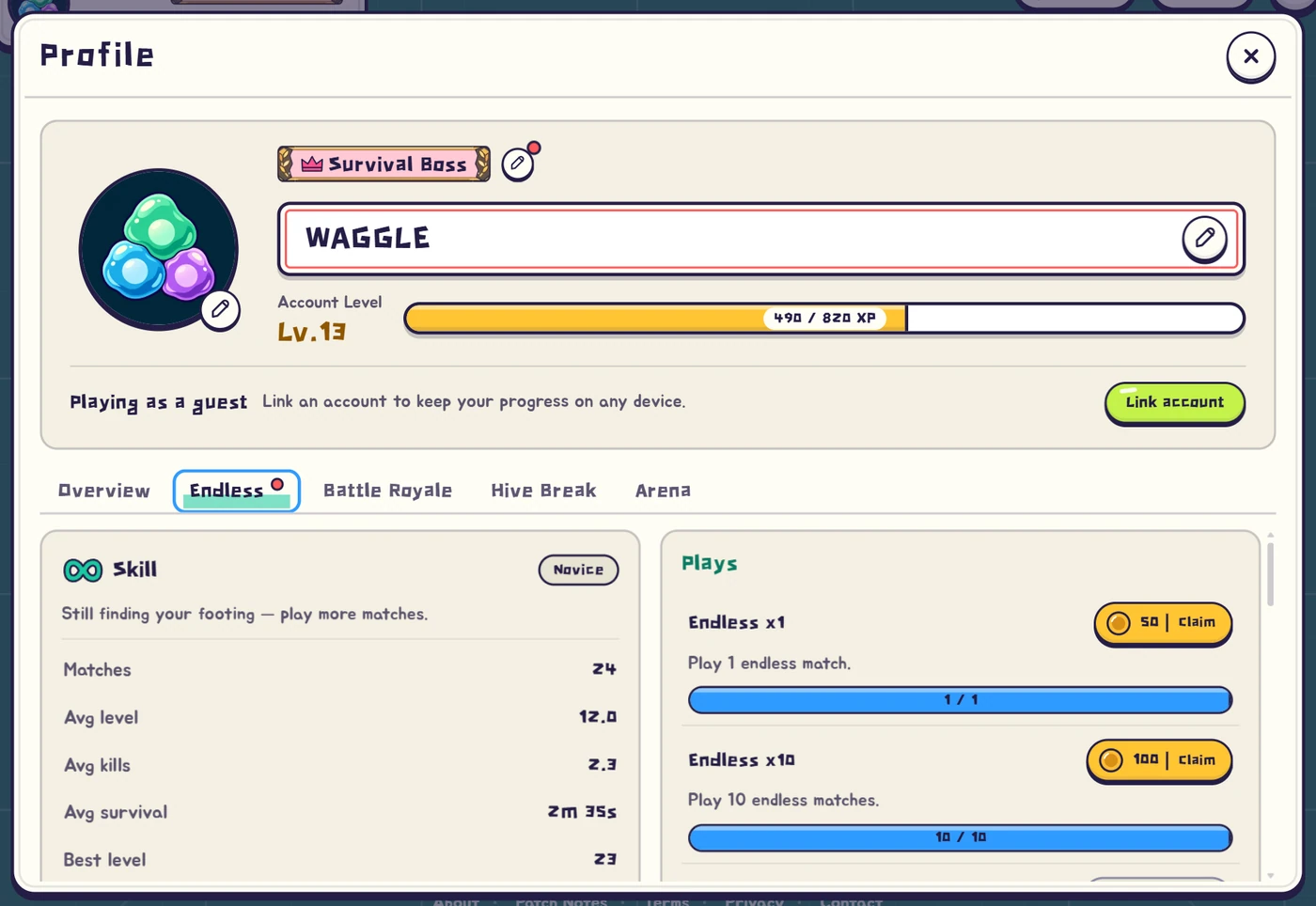
Where can I change my nickname?
Open your lobby profile and press the pencil beside your name to edit the nickname.
Enter the name, save it, then check that it appears on the profile.
If saving fails, follow the message beside the input and adjust the name.
How do I move on PC?
Hold WASD or the arrow keys to move, and release them to stop.
Right-click a destination to travel there, or hold the right button to keep moving toward the cursor.
Left-click and Space toggle rally rather than movement, so check rally if your army stops attacking.
How do I move on a phone?
Tap a destination to move there, or drag on the field to steer with the joystick and release to stop.
With a fixed joystick enabled, drag the displayed joystick itself instead of dragging anywhere.
Rally has its own button, keeping movement separate from gathering your army.
Can I use a gamepad?
Press a gamepad button while the game is open to let the browser detect it, then use the left stick or directional pad on a standard controller.
A or ✕ toggles rally.
Labels and support vary by device and browser; if nothing responds, check the connection and compare with keyboard or touch input.
Why are my cells not attacking?
Rally stops ordinary attacks and gathers the army, so release it with left-click or Space on PC, or the mobile rally button.
Cells then need an enemy within their detection and attack reach before fighting automatically.
Capturing a dormant colony and protection immediately after respawning can also restrict attacks.
This video could not play. You can still use the image and explanation.
How do I choose a special cell?
When a growth choice appears, inspect the candidates and select a role your swarm needs.
Arena’s preparation stage requires choosing cards and confirming the selection.
In a bonus draft, you instead move to a candidate on the field, so follow the instructions for the current round.
This video could not play. You can still use the image and explanation.
Does opening Settings pause the match?
Online matches continue when you open settings or another menu.
Enemies and battlefield events keep moving while you are not controlling the core, so choose a safe moment before opening a panel.
Switching to another app or tab does not pause the match either.
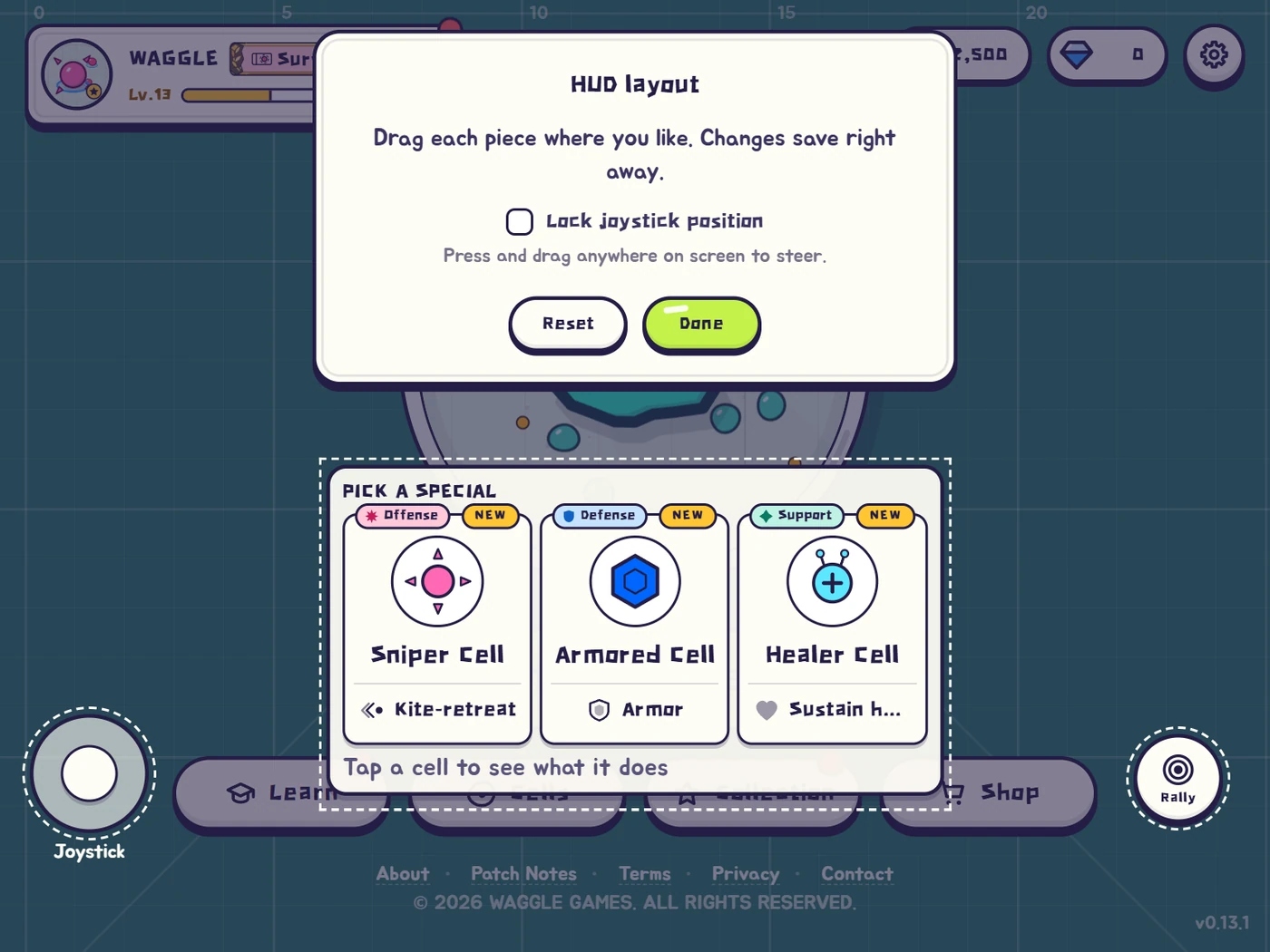
The picker or joystick blocks my view.
Open Settings → Display → HUD layout and drag information or controls into comfortable positions.
This helps when information covers the fight or mobile buttons are difficult to reach.
If the arrangement becomes awkward, restore the default layout and move only the elements you need.
HUD layout
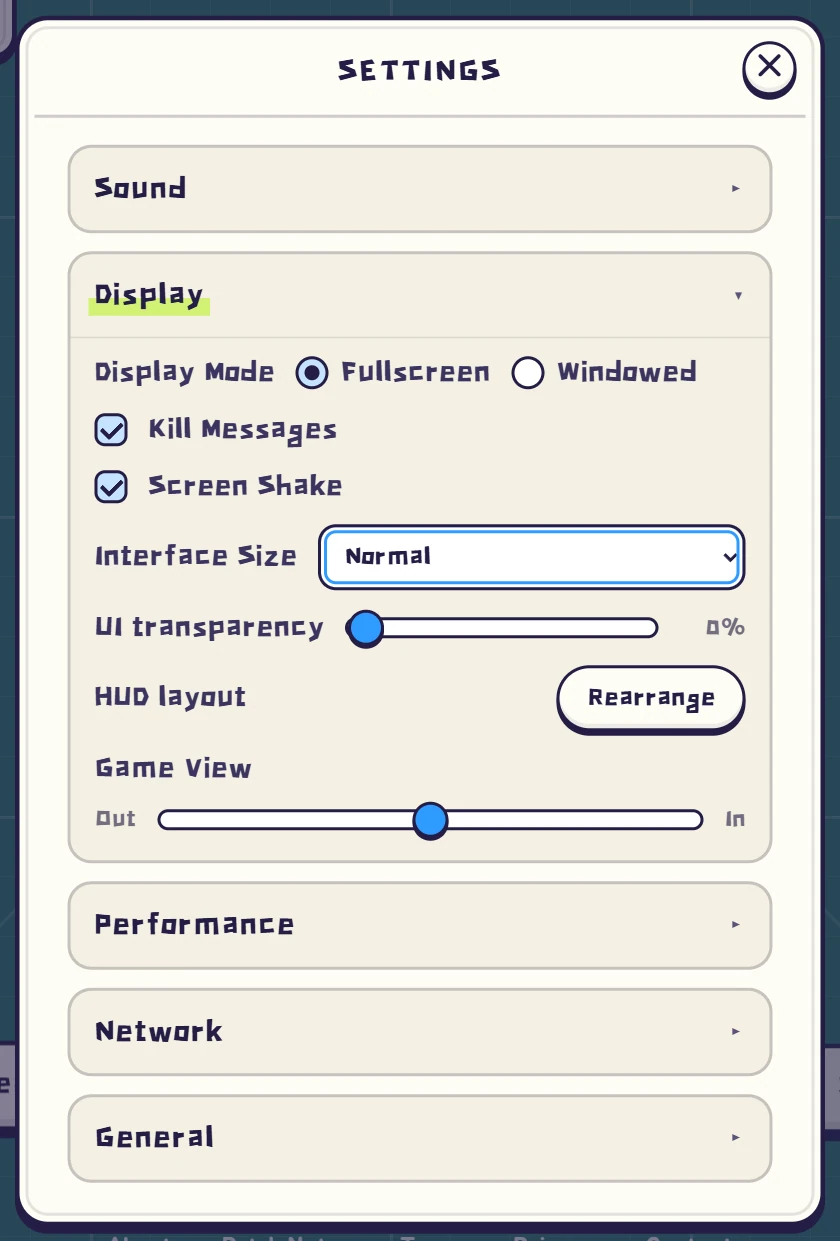
Display settings
Can I make text and buttons larger?
Change interface size under Settings → Display to make menus and controls easier to read.
Game zoom is separate and changes how closely you view the battlefield, so start with interface size for small text.
After resizing, adjust the HUD layout if important controls or information overlap.
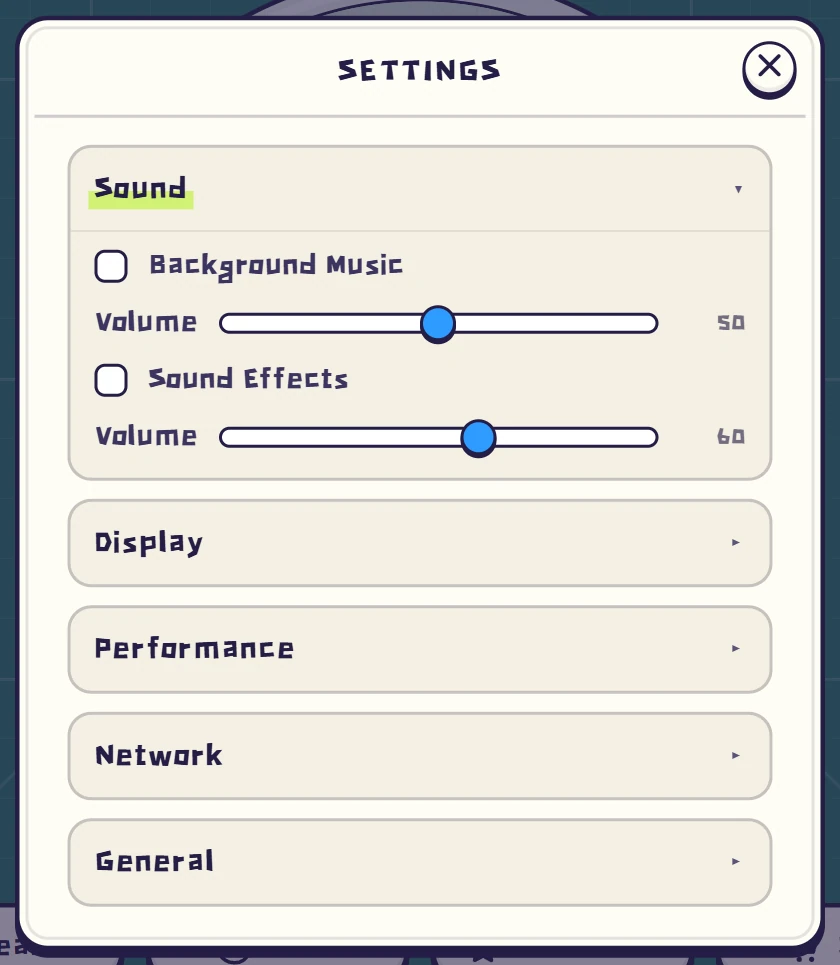
How do I change music and sound?
Settings → Sound controls music and effects separately, letting you lower music while keeping combat cues audible.
If game volume is enabled but nothing plays, check device volume, the audio output and whether the browser tab is muted.
Silence in other apps points to the device’s audio settings as well.
The game stutters or my device gets hot.
If the whole screen stutters, lower graphics quality and render resolution under Settings → Performance to reduce drawing load.
Adjust the frame limit, close unused apps or tabs, and compare movement in the same scene.
If the screen stays smooth but other players jump, also check network settings and your connection.
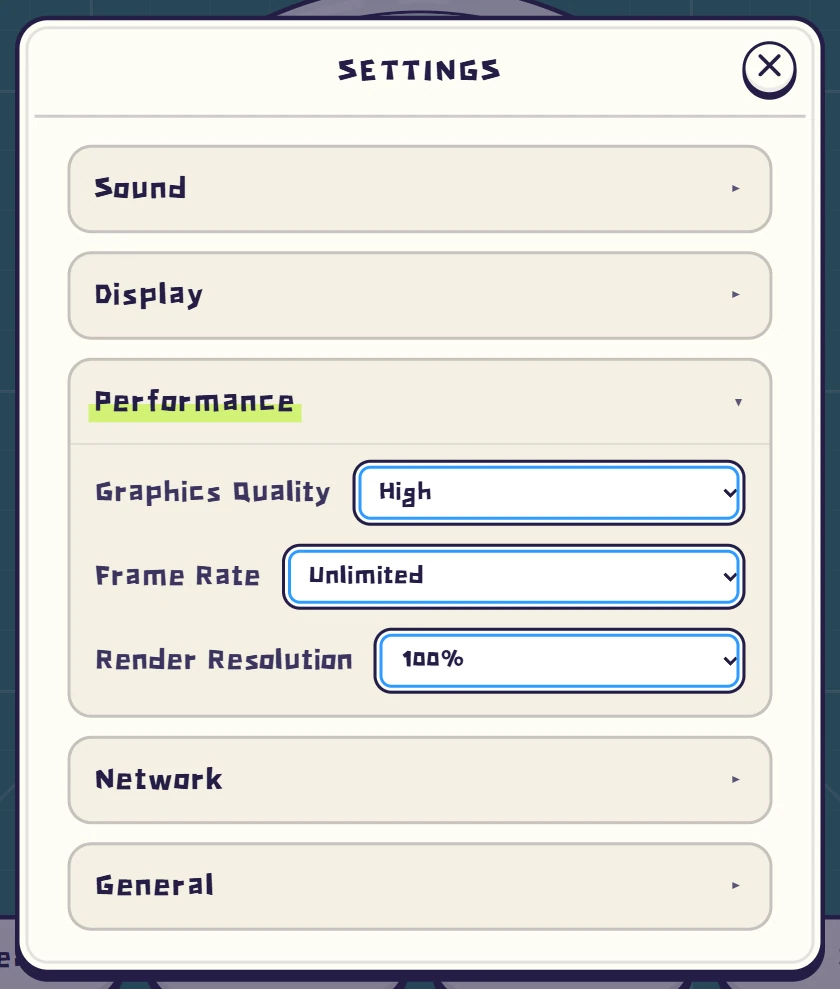
Other players move unevenly.
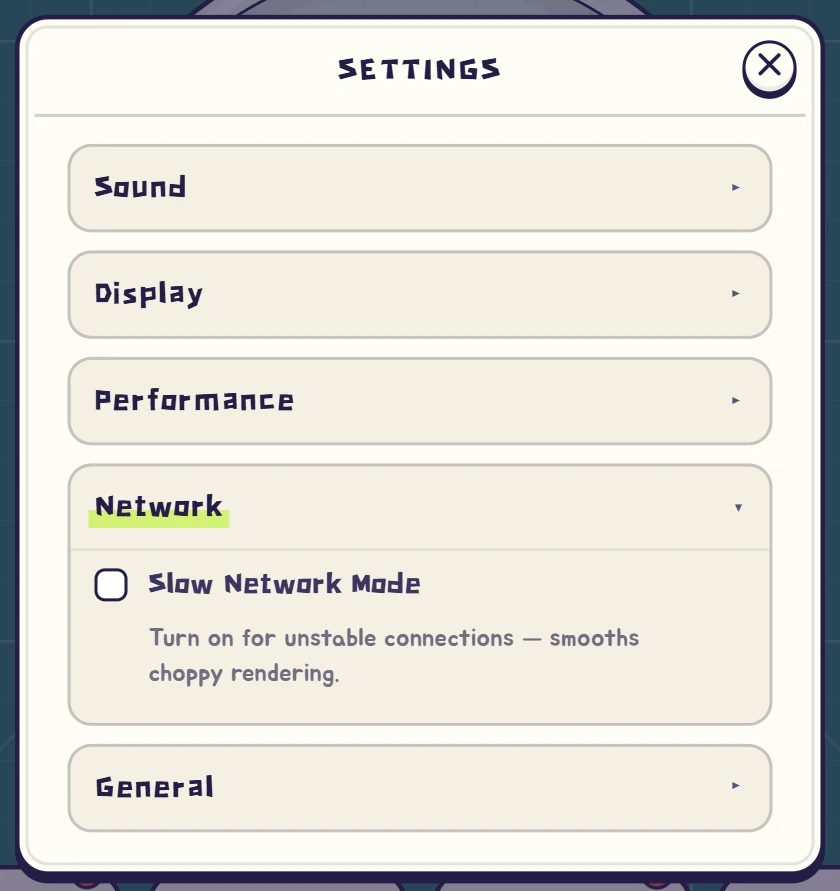
If other swarms often jump or your connection has high latency, check slow-network mode under Settings → Network.
It allows more buffering to smooth uneven movement updates, but cannot repair a failing connection.
When the entire screen loses frames, compare performance settings rather than treating it only as a network issue.
Where can I change the language?
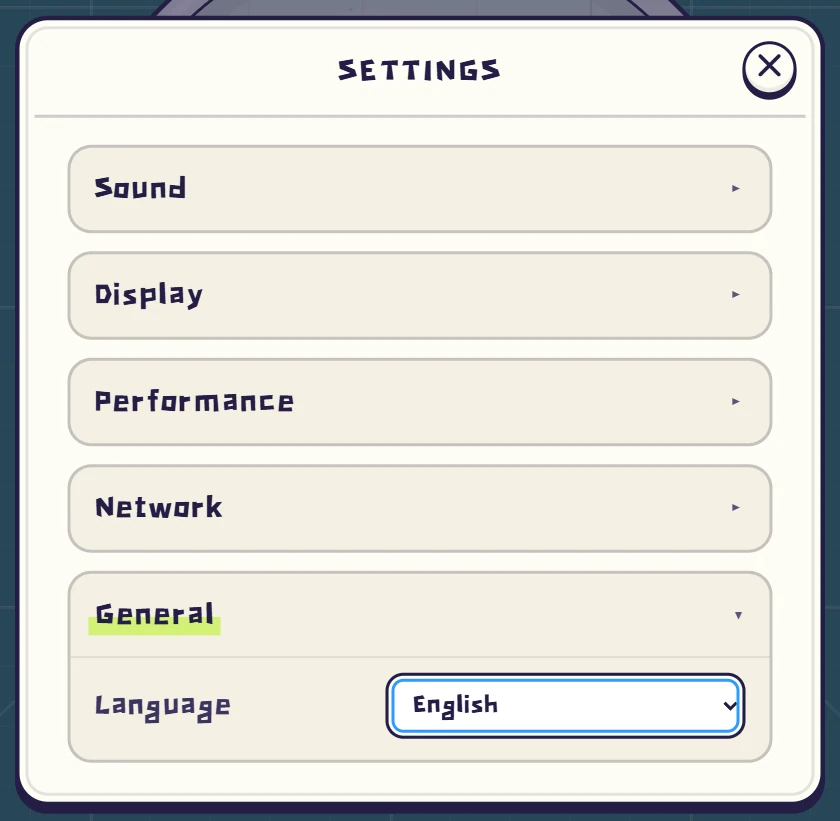
Use the language option in game settings to change menus and instructions.
The guide and help pages also have their own language selector.
When sharing an entry, copy the address after choosing the desired language so the recipient can find the same explanation.
Where can I see my records?
Open your lobby profile to view accumulated mode records and achievements.
A result screen describes the match that just ended, while the profile brings together progress across matches.
Select the mode you want to inspect so records from different modes are not confused.
Is account level different from match level?
The level shown on your core measures how far your swarm has grown within that battlefield.
Account level is separate progression accumulated through eligible matches and shown on the lobby profile.
A higher account level does not mean starting a new match with a swarm already at that level.
Where can I check cell mastery?
Select a cell in the lobby’s Cells menu to view its mastery and rewards.
Mastery is based on choosing that cell in matches, rather than simply its kills or time alive.
When a reward becomes available, use the claim option shown in the detail view.
Why can’t I equip a title I qualified for?
A title must be claimed from the title screen after its requirement is met.
An available reward is not yet the same as an owned title, so check for anything waiting to be claimed.
You can then equip an owned title on your profile to display it with your name.
Where do I equip a purchased skin?
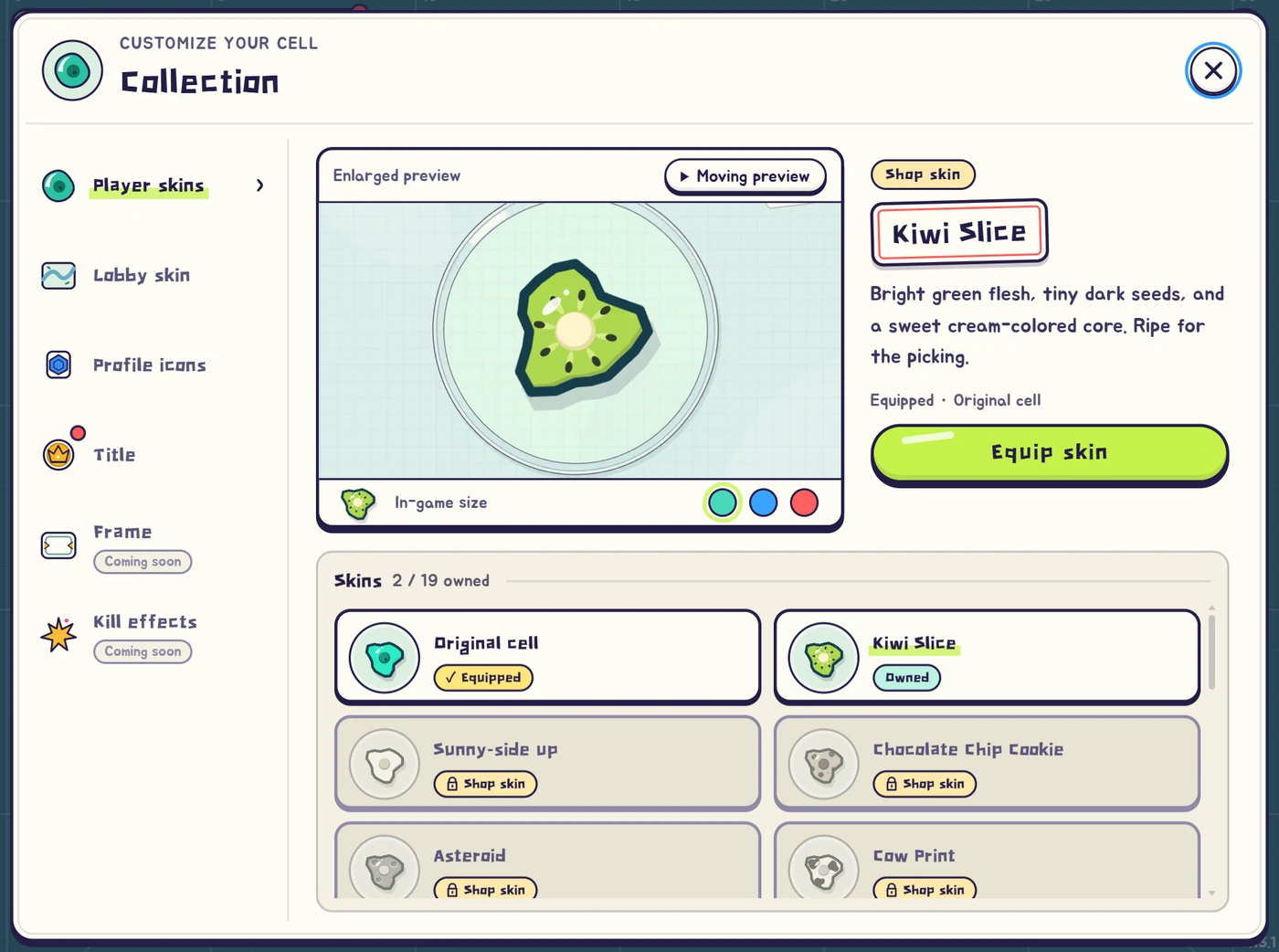
Choose an owned skin in the lobby Collection and apply it to change your cells’ appearance.
Previewing a look and equipping it are separate, so check the selected state afterward.
Skins are cosmetic and do not change combat stats or a cell’s role.
What are coins for?
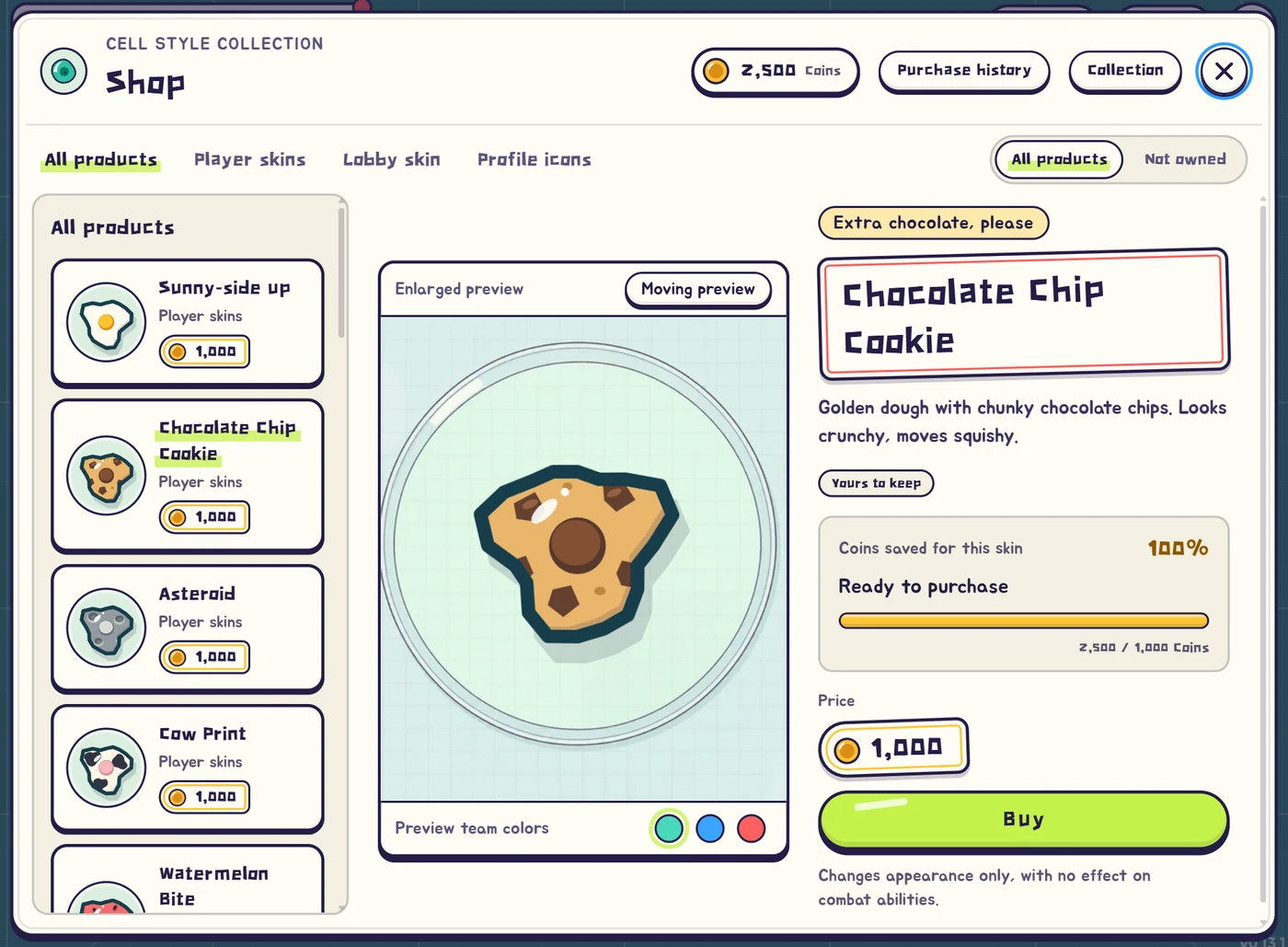
Coins buy cosmetic items such as skins in the Shop.
Check the preview, coin price and ownership status before purchasing the look you want.
Apply purchased items through the Collection; buying a cosmetic does not increase your combat power.
Do custom rooms give normal match rewards?
Custom rooms let you play with friends or practice situations under the host’s rules.
They do not grant normal match coins or account experience, so treat them separately from reward-earning play.
A result shown for a room match is not the same as an account reward being granted.
How do I keep my guest progress on another device?
Link an account on the device that currently holds your progress, then sign in with that account on another device to continue.
Check the link before clearing browser data or changing devices, as returning to an unlinked guest may become difficult.
A login already linked elsewhere may switch accounts instead of combining the guest’s progress.
How do I link an account?
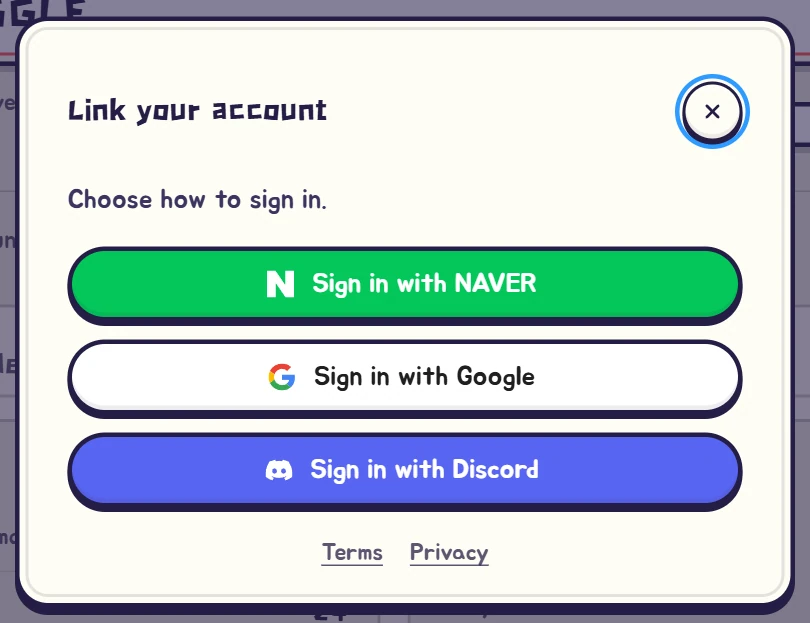
Open account linking from the lobby profile and follow one of the login methods offered on screen.
After completion, return to the game and check the linked state on your profile.
On another device, use the same method and account to access the same progress.
Does signing in merge my guest progress?
If the selected login is already linked to another game account, you may be asked to switch to that account.
Switching does not transfer the current guest’s coins and records or merge the two accounts.
Read the prompt and confirm that it is the account you intend to use before continuing.
My login has expired.
If your login has expired, use the profile’s sign-in-again action and authenticate with the account you previously used.
Expiry means the login needs renewing; it does not itself delete coins or records.
If progress looks different afterward, check whether you signed in to a different account.
I lost connection during a match.
For an offline or connection-failed message, check the device’s internet access and try the retry action.
Restoring the connection can return you to an active seat, but a finished match or unavailable session may not resume.
If it repeats, compare connectivity in other apps to check the device’s connection.
Can I practice without a match connection?
Continue in offline mode from the connection notice to return to Learn and choose practice that runs on your device.
An internet connection may still be needed initially if the required game files have not loaded.
To play online again, restore the connection and enter your chosen mode from the lobby.
I see an update or version notice.
If the connection notice requests a reload, use it to load the current game page and files.
A message saying the server is being updated may require trying again later rather than repeatedly reopening the client.
If the same notice persists, include its wording when contacting support.
Do I have to install the game?
You can start directly in a web browser without installing a separate app.
Supported browsers may offer installation to the home screen or app list for easier access later.
If that option is absent, you can still use the browser; online matches continue to require an internet connection.
Where can I report an unresolved issue?
Choose Contact at the bottom of this page or in the lobby to copy our email address.
Include your device, browser, mode and what happened just before the problem so the situation is easier to reproduce.
Copy any error message as it appeared to help identify the step that failed.
No matching entries yet.
Try a shorter word or another category.
Still need a hand?
Tell us what happened and we will take a look.